

The Self-Running Employee Onboarding Checklist for Small Companies
Tired of onboarding chaos? Build a self-running employee onboarding checklist for your small company in India. Our guide covers automation, compliance, and tools.
Try Rhinon Tech free
Why Your Manual Onboarding Checklist Is Failing
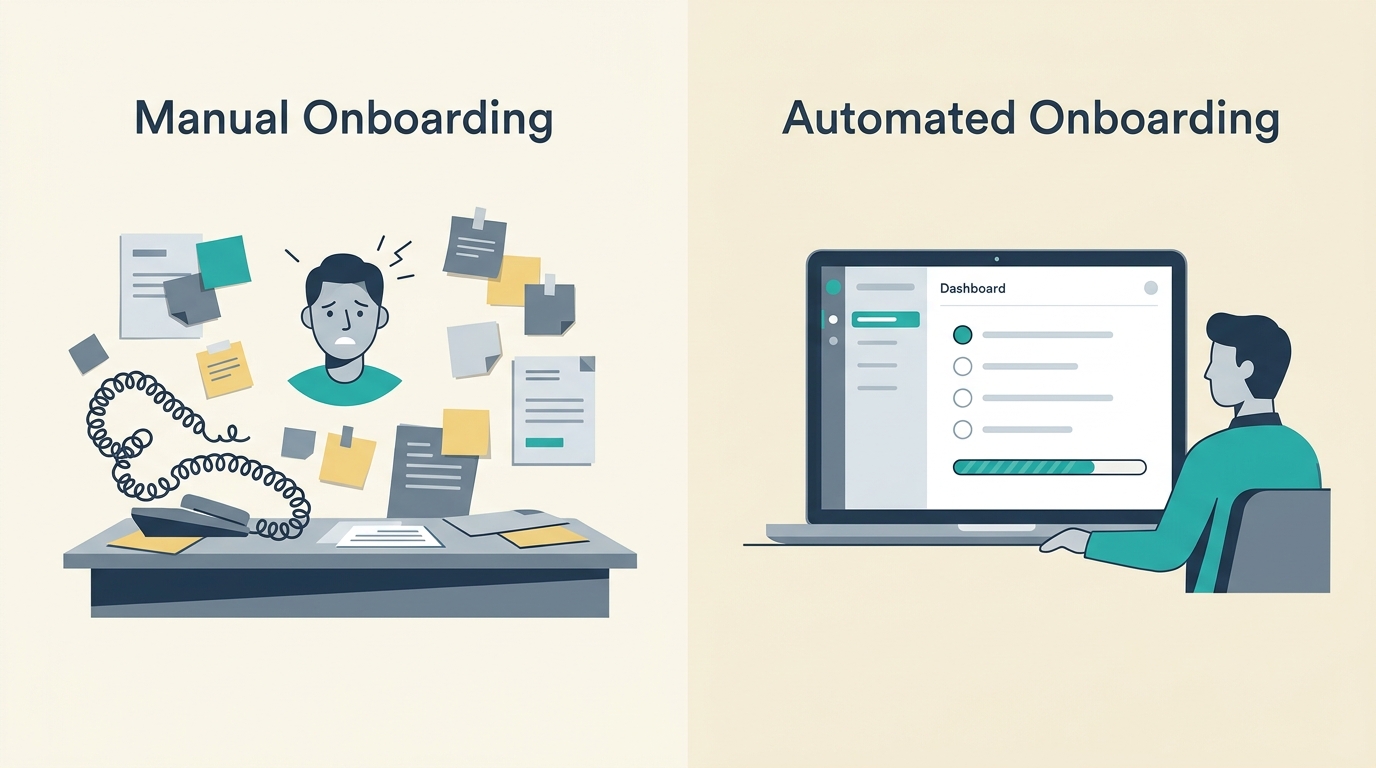
Your manual process is likely a mix of spreadsheets, email chains, and PDF forms. It’s inconsistent. One new hire gets a warm welcome and a working laptop on day one; the next spends three days waiting for an email account. This inconsistency isn't just inefficient; it’s a terrible first impression.
Onboarding software can reduce administrative work by up to 90%, but the real cost of a bad process is in morale and early turnover. When a new person is left wondering who to ask for help or what they’re supposed to be doing, their excitement turns into anxiety. You’re not just managing paperwork; you're setting the tone for their entire tenure.
The Four Phases of Onboarding: From Offer to Full Productivity
A good onboarding plan isn't a one-day event. It spans the first 90 days and breaks down into four distinct phases. Automating this structure is the key to making it run itself.
- Pre-boarding: The critical period between offer acceptance and the first day. This is where you handle paperwork and logistics so Day 1 is about people, not forms.
- Day One: Orientation and first connections. The goal is to make the new hire feel welcome and equipped.
- The First Week: Initial training, understanding the role, and meeting the immediate team.
- The First 90 Days: Gradual integration into the company culture, setting clear goals, and establishing a feedback rhythm.
Designing an Employee Onboarding Checklist for Small Companies in India
For an employee onboarding checklist for small companies in India to be effective, it must be built on a foundation of local compliance. This isn't just about a warm welcome; it's about getting the legal and financial framework right from the start.
Key compliance points to build into your checklist:
- Appointment Letter: The Occupational Safety, Health and Working Conditions (OSH) Code, 2020, which came into force on November 21, 2025, mandates that every employee receives one.
- Statutory Registrations: Your process must collect details for Provident Fund (PF), Employee State Insurance (ESI, if applicable), and Professional Tax (PT).
- Salary Structure: As of November 21, 2025, labour codes require basic pay to be at least 50% of total CTC. Your system should enforce this.
- Data Protection: The Digital Personal Data Protection (DPDP) Act, 2023, applies to employee data. You must only collect what’s necessary and be transparent about its use.
Your checklist should automatically prompt for mandatory documents like PAN card, Aadhaar card, bank account details, educational certificates, and relieving letters from previous employers.
How to Make Your Onboarding Checklist Run Itself
Turning a static checklist into an automated workflow involves connecting triggers to actions. Here’s a practical, step-by-step approach.
Step 1: Trigger the Workflow on Offer Acceptance
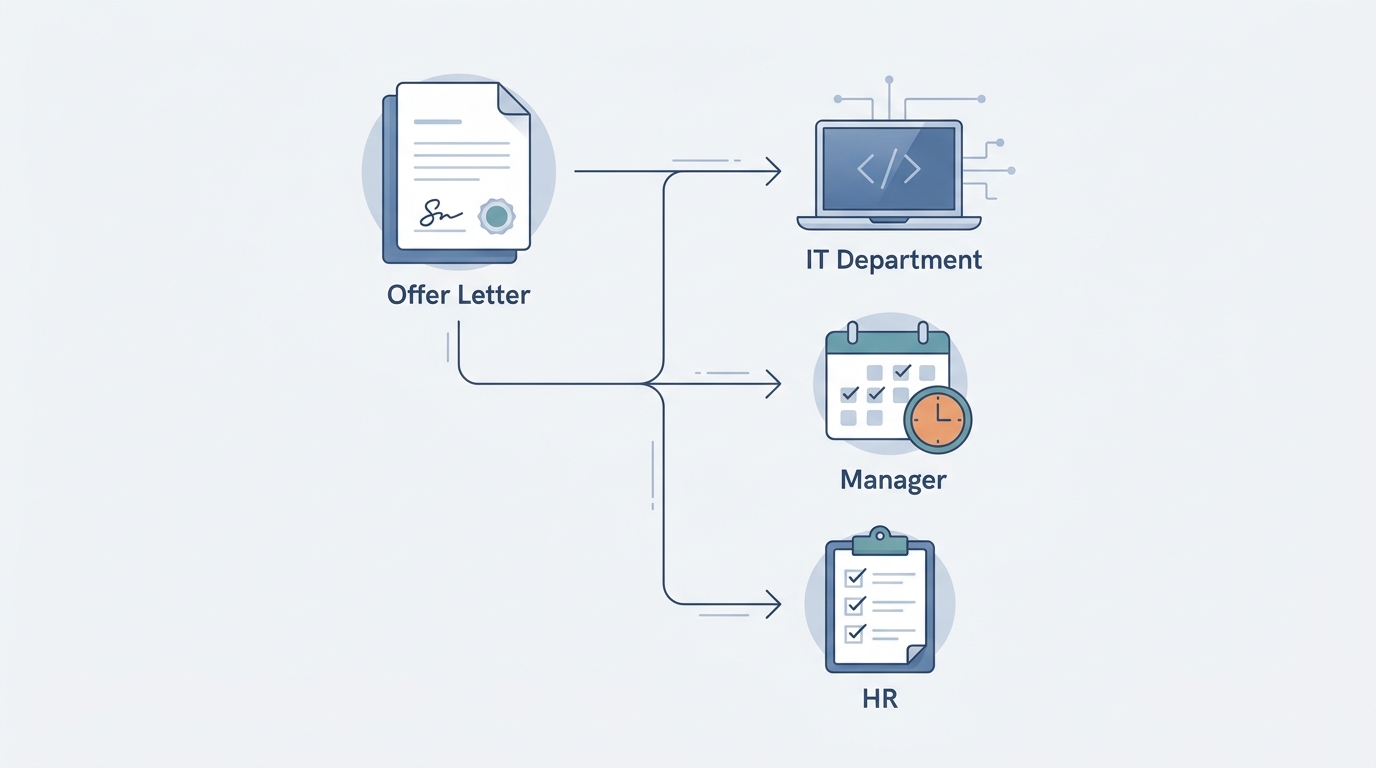
The entire process should kick off the moment a candidate accepts your offer. The old way is an email confirmation. The better way is a digital signature that acts as the first domino. When we built our own HR tools, we made sure offer letters and NDAs could be signed directly in the browser. The candidate types or draws their signature, hits accept, and the system instantly marks them as 'Hired'. This single event becomes the trigger for everything that follows.
Step 2: Automate Document Collection & Profile Setup
Instead of emailing a dozen forms, the 'Hired' trigger should send the new employee a single, secure link. This is their personal onboarding portal. Here, they set their own password and complete their own profile. Our system gives them a clear list of required information: contact details, bank account for salary, statutory details like UAN and PAN, and document uploads. They do it on their own time, before day one. This eliminates manual data entry for your team and puts the new hire in control.
Step 3: Create Automated Task Workflows
Once the employee record is created, the system should assign tasks to other people in the company. This is the core of a self-running process.
- To IT: Create ticket to provision laptop and create email account.
- To Administration: Arrange for ID card and seating.
- To the Hiring Manager: Schedule a Day 1 welcome meeting and a First Week check-in.
- To the Assigned Buddy: Schedule a casual coffee chat.
These tasks appear in each person's to-do list automatically, with deadlines. No more forgotten emails or last-minute scrambles.
Step 4: Connect Onboarding to Payroll and Leave
This is where an integrated system pays off. The employee profile, completed by the new hire in Step 2, should be the single source of truth. The salary structure, bank details, and statutory information they entered should flow directly into your payroll software. Their start date automatically sets their leave balance. There is no re-typing, which means no fat-finger errors that cause payroll mistakes down the line.
The Right Tech for a Self-Running Process
You can try to stitch this together with different tools—a form builder for data collection, a project manager for tasks, and a separate HRIS. But for a small company, that creates more work. The data doesn't flow, things get missed, and you spend your time managing the tools instead of welcoming your new team member.
A unified workspace is a better approach. For example, Rhinon Tech's HR & People module is designed to connect these steps natively. Because offer letters, employee records, tasks, payroll, and team chat are all part of the same system, the workflow is already built. An accepted offer automatically creates the employee, which triggers the tasks, and their data is ready for the first payroll run.
Handling Common Onboarding Edge Cases in India
Even the best-automated systems need to account for real-world exceptions. Here are a few common ones:
- Missing PAN Card: It happens. A good process allows the new hire to upload the application acknowledgement receipt and sets an automated reminder for both HR and the employee to provide the actual card in 30 or 60 days.
- Remote Onboarding: For remote hires, automation is even more important. The workflow should include a task for shipping the company laptop and welcome kit well before the start date. Scheduled, automated check-ins via team chat can help them feel connected.
- Mid-Financial Year Joining: Your onboarding form should have a field for the employee to declare if they were employed elsewhere in the current financial year. If yes, the system should create a task for them to upload their previous employer's tax certificate (Form 16) to ensure correct TDS calculations.
Start by mapping your current process on a whiteboard. Find the most time-consuming, repetitive step—it's probably data entry or follow-up emails—and find a tool that automates just that one piece. From there, you can connect the other steps over time, building an onboarding machine that gives every new hire a consistent, professional welcome.
FAQ
Frequently asked questions
What is a UAN, and what if the new employee already has one?+
A UAN is a 12-digit Universal Account Number allotted by the Employees' Provident Fund Organisation (EPFO). It's a permanent number for an employee's entire career. If a new hire already has a UAN from a previous job, they should provide it to you; there is no need to generate a new one. Your onboarding process should simply link their existing UAN to their new PF account with your company.
What's the difference between orientation and onboarding?+
Orientation is typically a one-time event, usually on the first day, that covers essential information like company policies, benefits, and administrative tasks. Onboarding is a much longer, strategic process that can last 90 days or more. It focuses on integrating the new hire into their role, the team, and the company culture to ensure their long-term success.
How can we measure the success of our onboarding process?+
You can measure success with a few key metrics. Track new hire turnover within the first 90 days and the first year. Use short surveys at the 30, 60, and 90-day marks to gauge employee satisfaction and role clarity. You can also measure time-to-productivity by setting clear 30/60/90-day goals and tracking their achievement with the hiring manager.
What are the biggest frustrations for new hires during onboarding?+
The most common frustrations are logistical failures and lack of clarity. This includes not having their laptop or necessary software access on day one, being overloaded with irrelevant information, and not having a clear point of contact for simple questions. A feeling of being forgotten or unprepared for is a major source of early dissatisfaction.
Is an appointment letter legally required in India?+
Yes. Following the implementation of the Occupational Safety, Health and Working Conditions (OSH) Code, 2020, on November 21, 2025, it is mandatory for every employer in India to issue a formal appointment letter to every employee on or before their joining date. This letter outlines the key terms of employment.